
Configuration of Routing Information Protocol


Configuration of Routing Information Protocol


Routing Information Protocol (RIP) is a dynamic routing protocol which uses hop count as a routing metric to find the best path between the source and the destination network. It is a distance vector routing protocol which has AD value 120 and works on the application layer of OSI model. RIP uses port number 520.
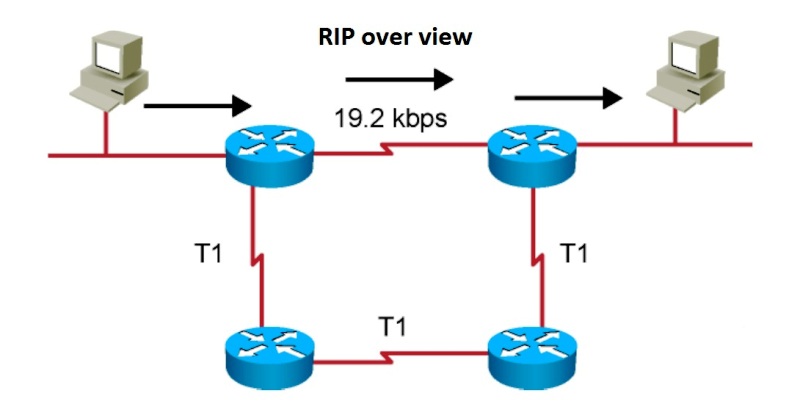


Image result for routing information protocol

Features of RIP

1. Updates of the network are exchanged periodically.
2. Updates (routing information) are always broadcast.
3. Full routing tables are sent in updates.
4. Routers always trust on routing information received from neighbor routers. This is also known as Routing on rumours.

RIP versions : 
There are three vesions of routing information protocol – RIP Version1RIP Version2 and RIPng.

RIP v1 is known as Classful Routing Protocol because it doesn’t send information of subnet mask in its routing update.
RIP v2 is known as Classless Routing Protocol because it sends information of subnet mask in its routing update.

Configuration :


1> Configure RIP for R1

R1(config)# router rip
R1(config-router)# network 192.168.20.0
R1(config-router)# network 172.16.10.4
R1(config-router)# version 2
R1(config-router)# no auto-summary

3>  Configureg RIP for R2 

R2(config)# router rip
R2(config-router)# network 192.168.10.0
R2(config-router)# network 172.16.10.0
R2(config-router)# version 2

R2(config-router)# no auto-summary

3>  
R3(config)# router rip
R3(config-router)# network 10.10.10.0
R3(config-router)# network 172.16.10.4
R3(config-router)# network 172.16.10.0
R3(config-router)# version 2

R3(config-router)# no auto-summary


Comments

Popular posts from this blog

Packet Tracer Simulation – TCP and UDP Communications Part 1: Generate Network Traffic in Simulation Mode Step 1: Generate traffic to populate Address Resolution Protocol (ARP) tables.  Click MultiServer and click the Desktop tab > Command Prompt.  Enter the ping 192.168.1.255 command. This will take a few seconds as every device on the network responds to MultiServer.  Close the MultiServer window. Step 2: Generate web (HTTP) traffic.  Switch to Simulation mode.  Click HTTP Client and click the Desktop tab > Web Browser.  In the URL field, enter 192.168.1.254 and click Go. Envelopes (PDUs) will appear in the simulation window.  Minimize, but do not close, the HTTP Client configuration window. Step 3: Generate FTP traffic.  Click FTP Client and click the Desktop tab > Command Prompt.  Enter the ftp 192.168.1.254 command. PDUs will appear in the simulation window.  Minim...

Router mode , switch/router basic commands

Router mode , switch/router basic commands ROUTER : A router is a device that analyses the contents of data packets transmitted within a network or to another network. Routers determine whether the source and destination are destination are on the same network or whether data must be transferred from one network type to another, which requires encapsulation the data packet with routing protocol header information for the new network type. Routing is a process which is performed by layer 3 (or Network Layer) devices in order to deliver the packet by choosing an optimal path from one to another. Advantages No Routing overhead for router CPU which means a cheaper router can be used to do routing. It adds security because the only administrator can allow routing to a particular network only. No bandwidth usage between routers. Disadvantages For a large network, it is a hectic task for an administrator to manually add each router for the netw...
IMPLEMENTATION OF DHCP IN CISCO PACKET TRACER The Dynamic Host Configuration Protocol (DHCP) is a  network management protocol  used on  UDP/IP  networks whereby a DHCP server dynamically assigns an  IP address  and other network configuration parameters to each device on a network so they can communicate with other IP networks. A DHCP server enables computers to request IP addresses and networking parameters automatically from the  Internet service provider  (ISP), reducing the need for a  network administrator  or a user to manually assign IP addresses to all network devices.In the absence of a DHCP server, a computer or other device on the network needs to be manually assigned an IP address, or to assign itself an  APIPA  address, which will not enable it to communicate outside its local subnet. DHCP can be implemented on networks ranging in size from  home networks  ...